Inside Gendia: The AI Platform Built for Video Creators
A deep-dig into Gendia's core features, AI video generation, voice, and the new creative director workflow.
Most AI platforms ask you to learn them.
Gendia asks you what you want to make.
That's the difference, and it's the thing creators who switched this year keep coming back to. The shift from "figuring out the software" to "explaining the vision" is small on paper and enormous in practice.
This is a look under the hood of Gendia, the three systems that make that shift possible, and the workflow that stitches them together.
A Studio, Not a Tool
Before the features, the philosophy.
Gendia isn't an app with AI features bolted on. It's a studio built from the ground up around one idea, the creator should describe; the platform should execute.
Every piece of the product serves that idea. Video generation, voice, music, image editing, effects, and the orchestration layer above them, all designed to move thought directly into output, without the translation layer of "learning a tool."
Three core systems make this work. Let's walk through them.
Pillar One, AI Video Generation
The video engine is where most creators meet Gendia first, and it's the clearest expression of what the platform is built for.
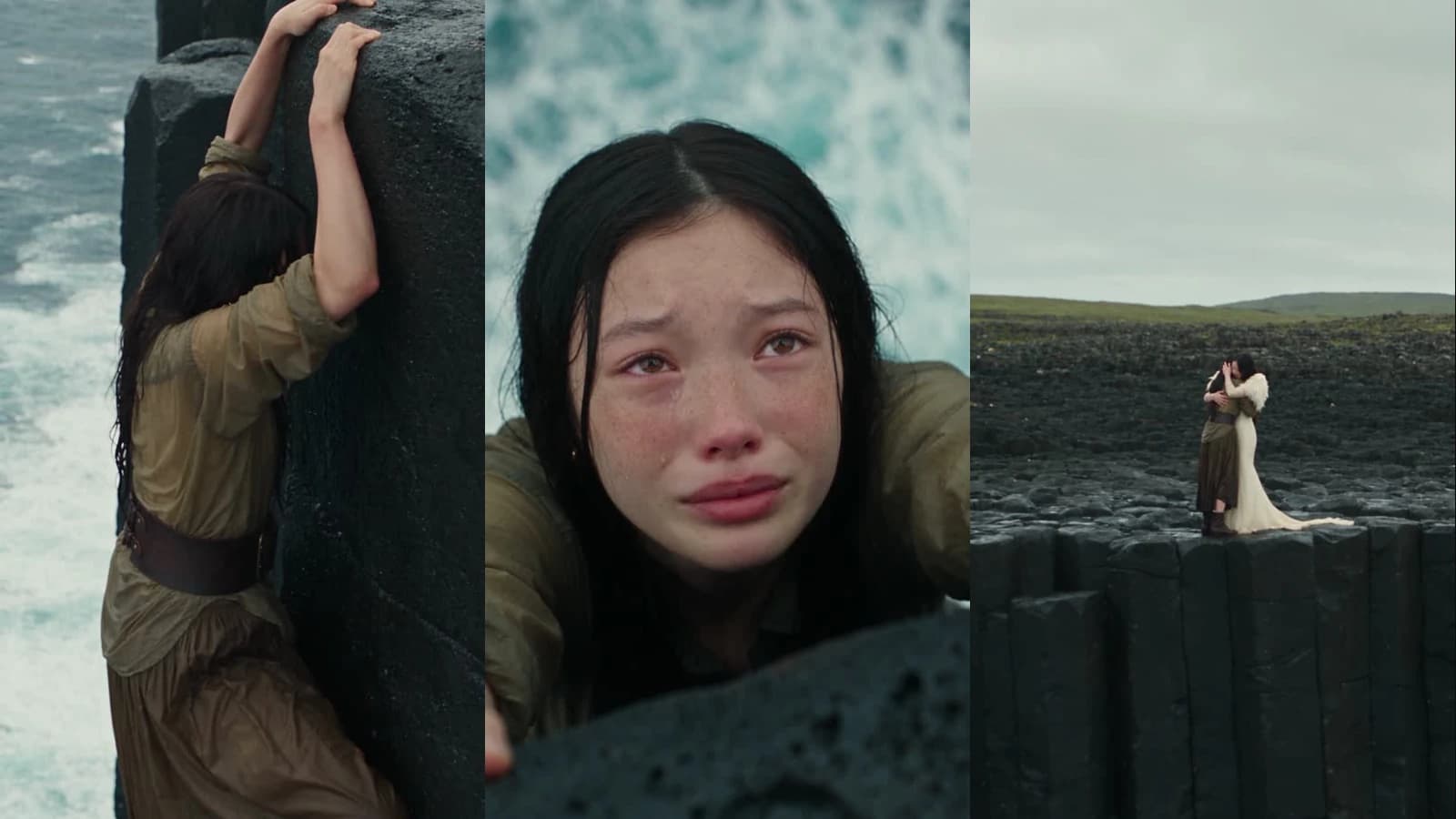
Instead of one model, you have access to the full frontier lineup. Each with a different strength, each one click away, all billed from the same credit balance.
The Models on the Canvas
- Seedance 2.0, ByteDance's flagship. Best for character-driven scenes, multi-shot consistency, and cinematic motion with audio sync built in.
- Kling 3.0, The motion specialist. Smooth camera movement, realistic physics, natural human gestures. Kling 3.0 Motion Control lets you define camera paths precisely.
- Veo 3.1, Google's cinematic model. Environments, lighting, and depth calibrated for editorial-grade output.
- Hailuo 2.3, Stylized and high-energy. The model to reach for when your visuals need kinetic punch over realism.
- Wan 2.6, The stylized choice. Anime and artistic scenes, painterly aesthetics, and illustrated styles the photoreal models flatten.
- Grok Imagine 1.5, image-to-video with direct resolution and duration control.
- Seedance 2.0 Fast, Seedance 1.5 Pro, Kling 2.6 / 2.5 / 2.1, Kling 2.6 Motion Control, Hailuo 2.0, the full back catalog, for teams that need specific model behaviors or lower credit costs.

Why It's Built This Way
Serious video creators don't use one model. They use the right model for the shot.
A dialogue-heavy scene needs Seedance's audio sync. A smooth orbital product shot needs Kling's motion control. A cinematic landscape needs Veo's lighting. A stylized transition needs Hailuo's energy.
On other platforms, this means five subscriptions and five workflows. On Gendia, it means picking a model from a dropdown.
Reference-Based Generation
Every video model on Gendia supports image and video references. Upload a character portrait to lock the face across shots. Upload a motion reference to match camera behavior. Upload a style frame to lock the visual treatment.
This is what separates one-off generations from a real production workflow. Consistency stops being a prayer and becomes a setting.
Pillar Two, Voice Generation
Video is half the story. Voice is the other half, and it's the part most AI platforms still treat as an afterthought.
Gendia's voice system is built for creators who actually ship, narrators, storytellers, ad makers, course creators, and anyone who needs speech that sounds like a person, not a model.
Text-to-Speech That Sounds Directed
The TTS engine supports multiple languages, including Korean, English, Japanese, Chinese, Spanish, and more, with voices tuned for emotional range. Intimate whisper, confident baritone, energetic young voice, calm narrator. Pick a register, pick a language, generate.
The difference from first-generation TTS is in the delivery. Pauses land where they should. Emphasis follows meaning. It reads the sentence the way a human would, not the way an algorithm averages it.
One Voice, Twenty-Three Languages
Pick a preset voice and it will read your script in any of the 23 languages the engine covers. That is the workflow this replaces:
- Localize a channel into six languages without re-recording anything
- Keep one narrator's register across a whole multi-shot story
- Hold a consistent vocal identity across every piece you publish
- Produce audiobook chapters, course modules or podcast segments at scale
Speech is billed by the character, which works out at roughly a credit a second, by a distance the cheapest thing on the platform. The text-to-speech guide has the full rates and the model-by-language coverage.
Sound That Was Generated With the Picture
Several of the video models, Seedance and Veo among them, generate audio in the same pass as the footage rather than having it added afterwards. Dialogue, ambience and effects are synchronised because they were never separate, and that includes the mouth movement.
That is a property of those models, not a separate step you run. Ask for the sound you want in the video prompt itself, and see where the sound in your video comes from for how it stacks with music and narration.
Pillar Three, The Creative Director Workflow
This is the newest layer, and the one that changes how the whole platform feels.
Most AI tools treat you as a prompt engineer. You learn the model's grammar, you write careful prompts, you iterate when the model misreads you.
Gendia's creative director workflow flips that. You describe what you want to make. The platform handles the translation.
What the Creative Director Actually Does
You open the chatbot. You say something like:
I want a 30-second cinematic short about a lighthouse keeper who sees something in the fog. Hook in the first two seconds. Close on a slow reveal. Mood should be lonely and unsettling.
The creative director reads that and returns a plan:
- A shot list broken into five vertical shots with durations
- The right video model for each shot (Seedance for character, Veo for environment)
- Fully-formed prompts for each shot, using the correct grammar for each model
- A voice direction brief if narration is involved
- A music direction brief with mood, tempo, and genre
You approve, adjust, or rewrite. Then the platform executes.

Why This Matters
Two reasons.
First, it collapses the learning curve. A new creator doesn't have to memorize which model handles typography, which handles motion, which handles characters. The creative director knows.
Second, it elevates experienced creators. You stop wasting hours rewriting prompts the model misinterprets. You stop testing which of five models renders your hook best. You describe the vision, and the platform routes it to the tools that can deliver it.
The creator becomes the director. Everything else is AI.
Try the Creative Director on Gendia
How the Three Pillars Work Together
A real workflow, start to finish, inside one tab.
1. Brief the Creative Director
Describe your short. The chatbot returns a shot list, model assignments, and prompts.
2. Generate the Shots
Approve the plan. Each shot routes to the right video model, Seedance for characters, Veo for environments, Kling for camera moves. Upload reference images to lock character and style.
3. Generate the Voice
Pick a voice and a language. Generate narration, dialogue, or both, one line at a time.
4. Generate the Music
Prompt the music generator with mood, tempo, and duration. The track generates natively inside Gendia, no licensing, no re-uploading.
5. Assemble in the Timeline
Drop your shots, voice tracks, and music into the timeline editor. Cut to the beats. Add captions. Export vertical or horizontal, depending on platform.
One brief. Three pillars. One finished piece of content.
What Makes This Different from Everything Else
The one-tab experience is not a UI gimmick. It's a productivity multiplier.
Every handoff between tools is a cost. File format conversions. Re-uploads. Re-authentications. Settings that don't translate. Credits that don't transfer. Creators who have stitched together a multi-tool pipeline know this tax intimately.
Gendia removes the tax:
- One login, one credit balance, one billing relationship across every model and medium
- A consistent interface whether you're generating video, voice, music, or still images
- Native integration between generation and editing, no download-then-upload cycle
- Shared asset library across every project and every medium
- The creative director sitting above all of it, translating briefs into model-specific output
The result is a studio that fits in a browser tab and moves at the speed of your ideas.
What's Next
The platform is still moving fast.
More models are added every month as they come out of research. The creative director is getting smarter with every iteration, better at reading intent, better at picking models, better at writing prompts that land on the first pass. The timeline editor is gaining advanced features creators have asked for. Story mode and the 3D pipeline are expanding into territory most AI platforms haven't touched yet.
Gendia isn't a product that shipped. It's a platform that ships weekly.
Final Thoughts
The tools that win in 2026 aren't the ones with the most features. They're the ones that remove the most friction between an idea and an output.
That's what Gendia was built for.
You already have the vision. The platform is the studio.
- #Gendia
- #AIPlatform
- #AIVideo
- #AIVoiceGenerator
- #CreativeDirectorAI
- #AIForCreators
- #All-in-oneAI