Translate PDF — Keep the Exact Layout & Design
Translate entire PDFs and books into another language without wrecking the formatting. Our AI redraws every page in your target language while keeping the original layout, fonts, images, tables, and design intact — so the translated file looks exactly like the original, just in a new language. Up to 500 pages, two target languages at once.
Why translate PDFs on Gendia
Pixel-Perfect Layout
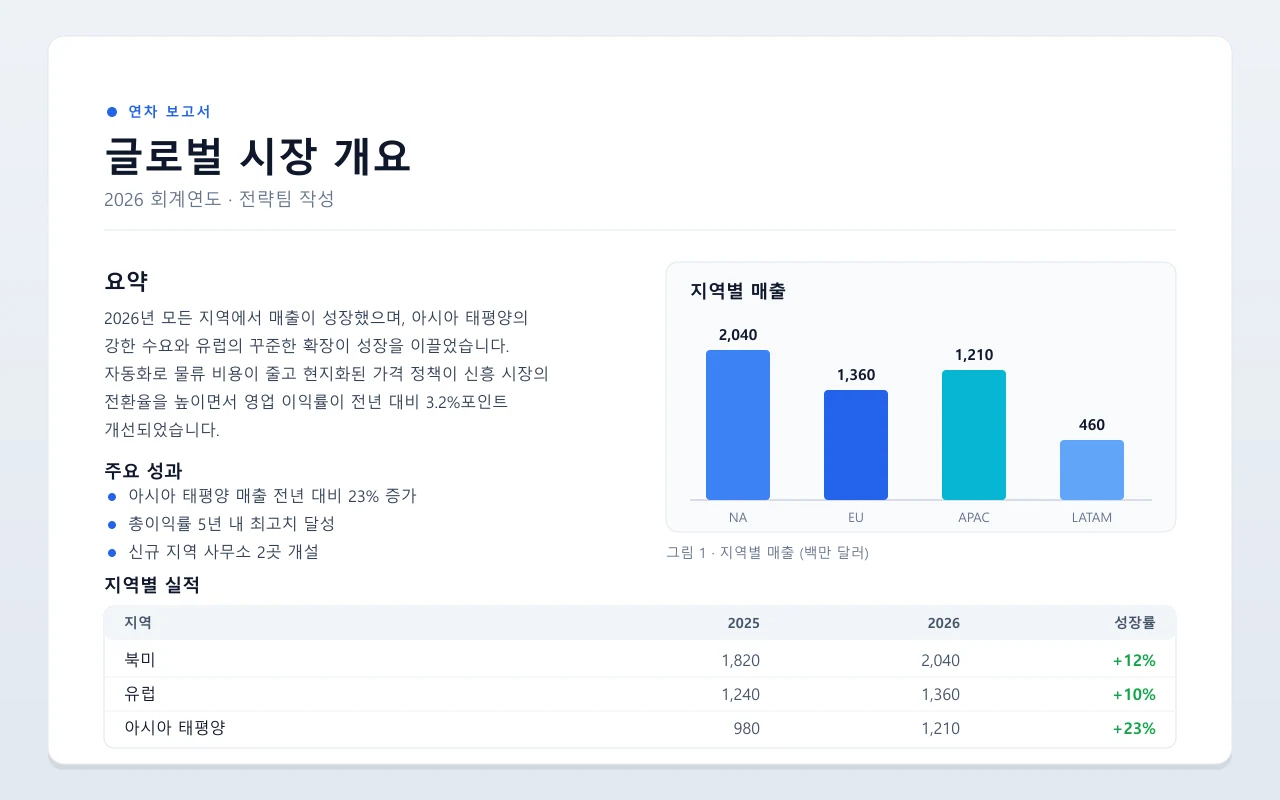
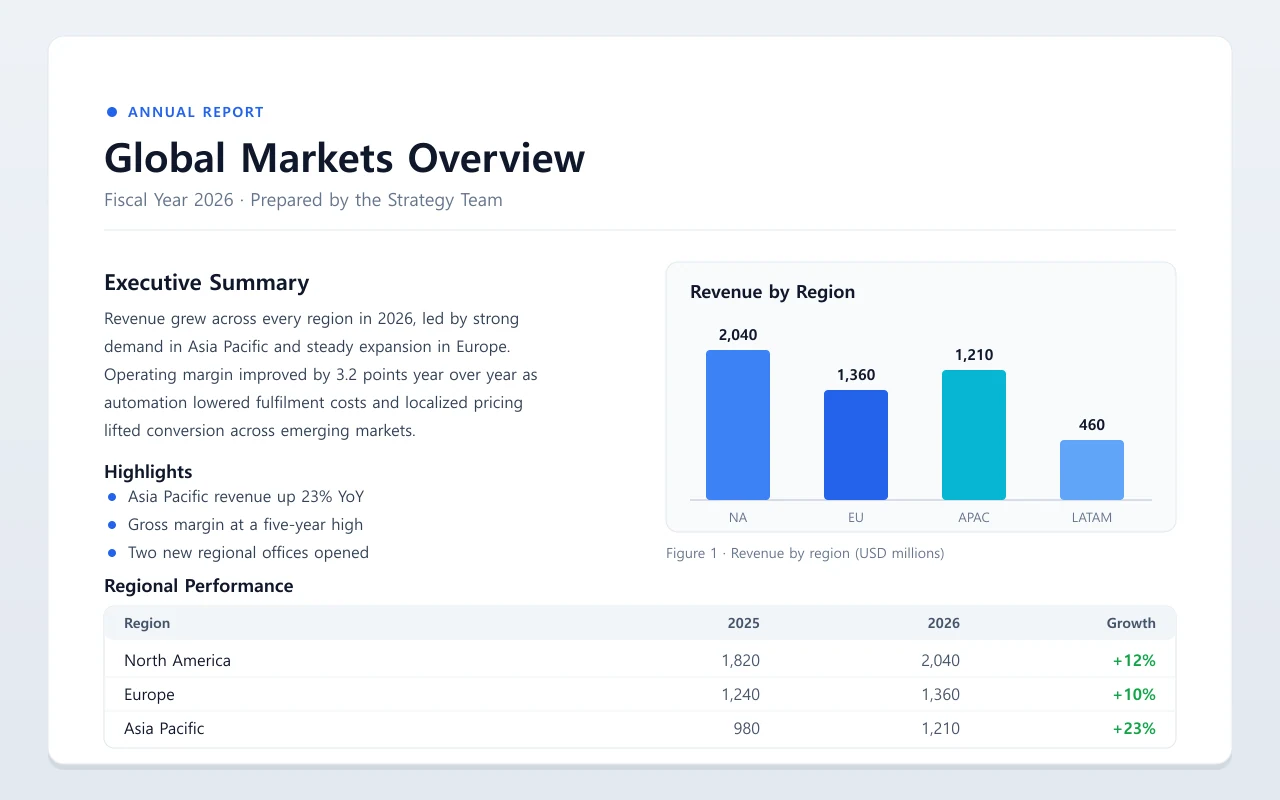
The AI redraws each page in your target language, keeping the original fonts, columns, tables, charts, and embedded images. Your translated PDF mirrors the source design page for page.
19 Languages, Auto-Detect
Translate to and from English, Korean, Japanese, Chinese, Spanish, French, German, Arabic, and more — with automatic source-language detection, so you just upload and go.
Dual-Language Output
Need the same document in two languages? Translate one source PDF into two target languages in a single job.
Built for Big Documents
Handle real books and manuals: up to 500 pages and 500MB per file, with pause/resume, per-page retranslation, live progress, and automatic crash recovery so long jobs never restart.
Translation that keeps your design, not just your words
Tools like Google Translate and DeepL dump raw text and destroy your formatting — columns collapse, tables break, images vanish. Gendia is different: the AI reads each page as an image and redraws it in the new language, preserving the original layout, fonts, spacing, embedded images, charts, and tables. Drag the slider to compare the original page with the translated one — same design, new language.
How to use Translate PDF — Keep the Exact Layout & Design on Gendia
Get started in minutes with these simple steps.
Upload your PDF
Drop in a PDF up to 500 pages — a book, manual, report, or slide deck.
Pick your languages
Choose a target language (or two). The source language is auto-detected.
AI redraws each page
Every page is translated and redrawn with the original layout preserved — watch progress in real time.
Download the translated PDF
Get a single PDF that looks just like the original. Re-translate any page for different wording.
Built for teams that translate documents at scale
Publishers & Authors
Localize books, magazines, and catalogs for new markets without redoing the typesetting — the layout comes through intact.
E-learning & Training
Translate course books and workbooks while keeping diagrams, callouts, and page design exactly where they belong.
Technical Manuals
Translate product manuals and spec sheets with their tables, figures, and numbered steps preserved page for page.
Legal & Compliance
Translate contracts and policy documents while keeping the structure, clause numbering, and formatting for side-by-side review.
Global Corporate Teams
For Korean companies going global: localize IR reports, manuals, and internal docs into every region’s language — and bring foreign documents into Korean — with brand layout untouched.
Marketing & Sales Collateral
Localize brochures and one-pagers so the design, imagery, and typography survive the translation — ready to ship.
Translate PDF — Keep the Exact Layout & Design FAQ
Learn More
Translate Your PDF Without Losing the Design
Get started with free credits. No credit card required.
From the blog
See all posts →
The Best AI Tools for Image Editing in 2026
A creator's guide to the frontier AI image editing models worth your time in 2026, Nano Banana Pro, Seedream, FLUX Kontext, GPT Image, Imagen, and more. All in one place.

Inside Gendia: The AI Platform Built for Video Creators
A deep-dig into Gendia's core features, AI video generation, voice, and the new creative director workflow.
How to Create Viral Shorts with AI in Under an Hour
A step-by-step workflow for turning a single idea into a polished short-form video using AI tools, no editing experience needed.